
How it works
Reimagine how you take photos.
Strika walks you through each step: from picking a pose to getting the shot.
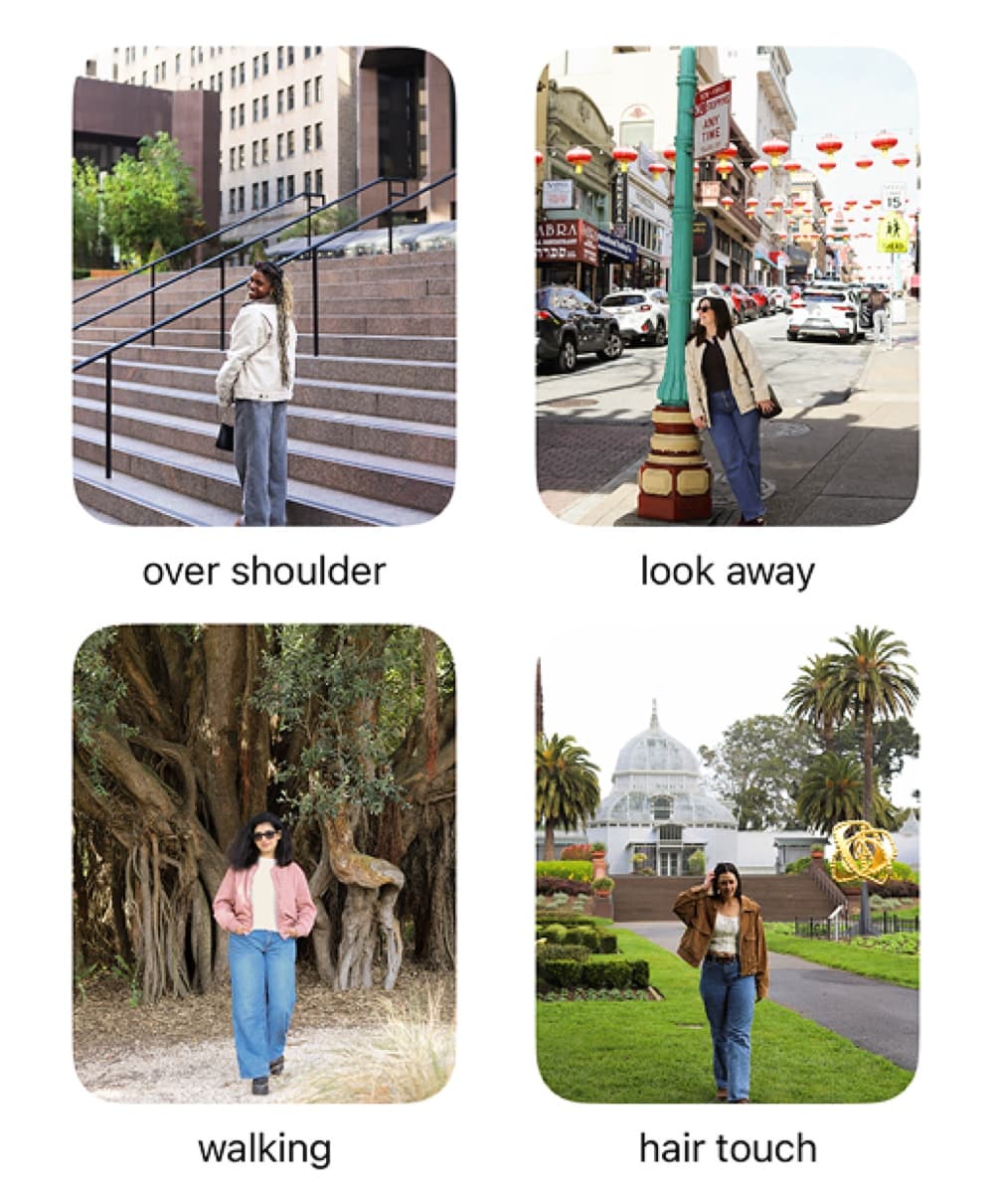
Step one
Pick a photo template.
Filter by beginner friendly poses or choose a shot that matches your mood or setting.
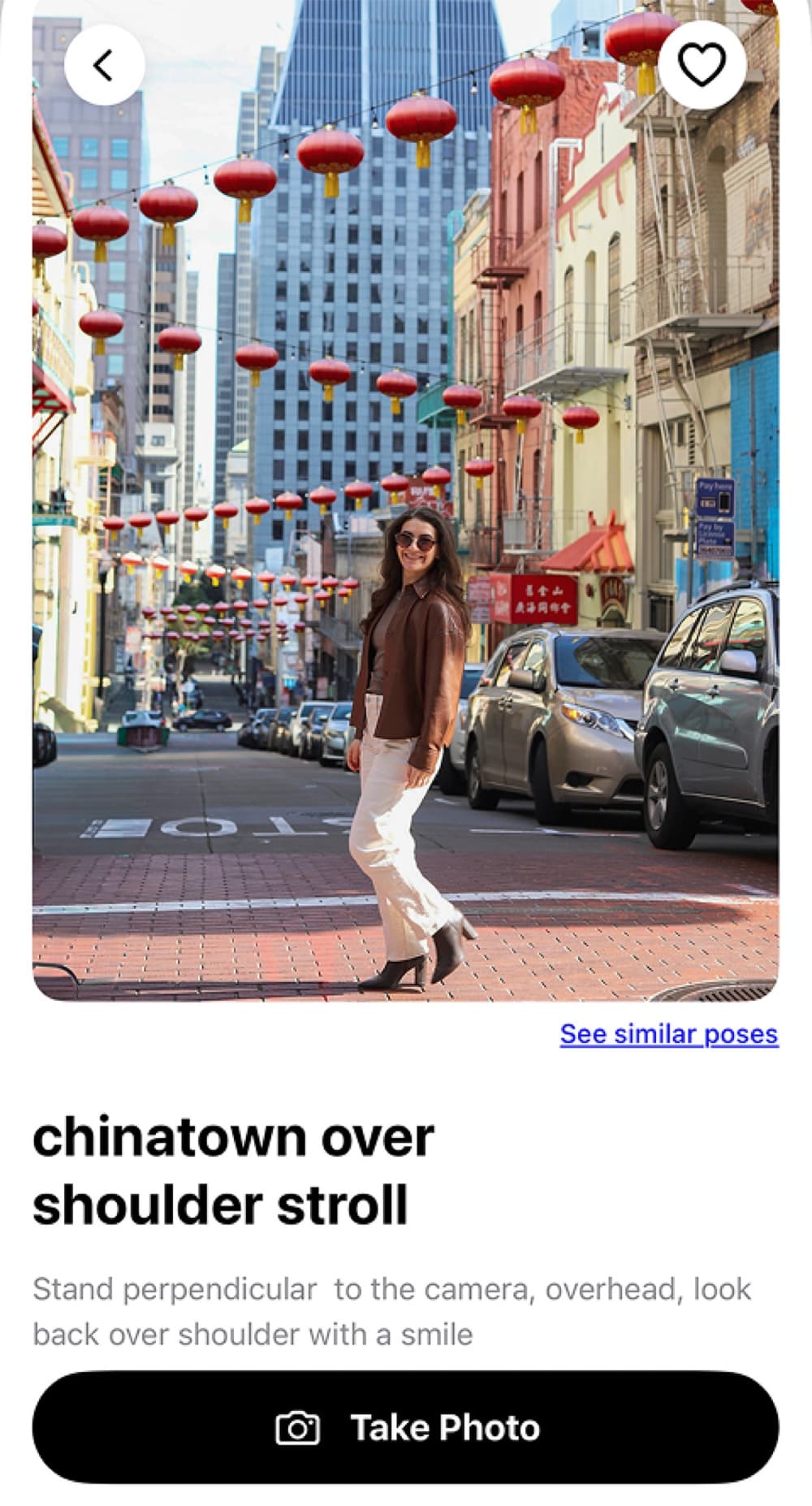
Step two
Review template tips.
Use the prompt and reference photo to match the pose and the composition.
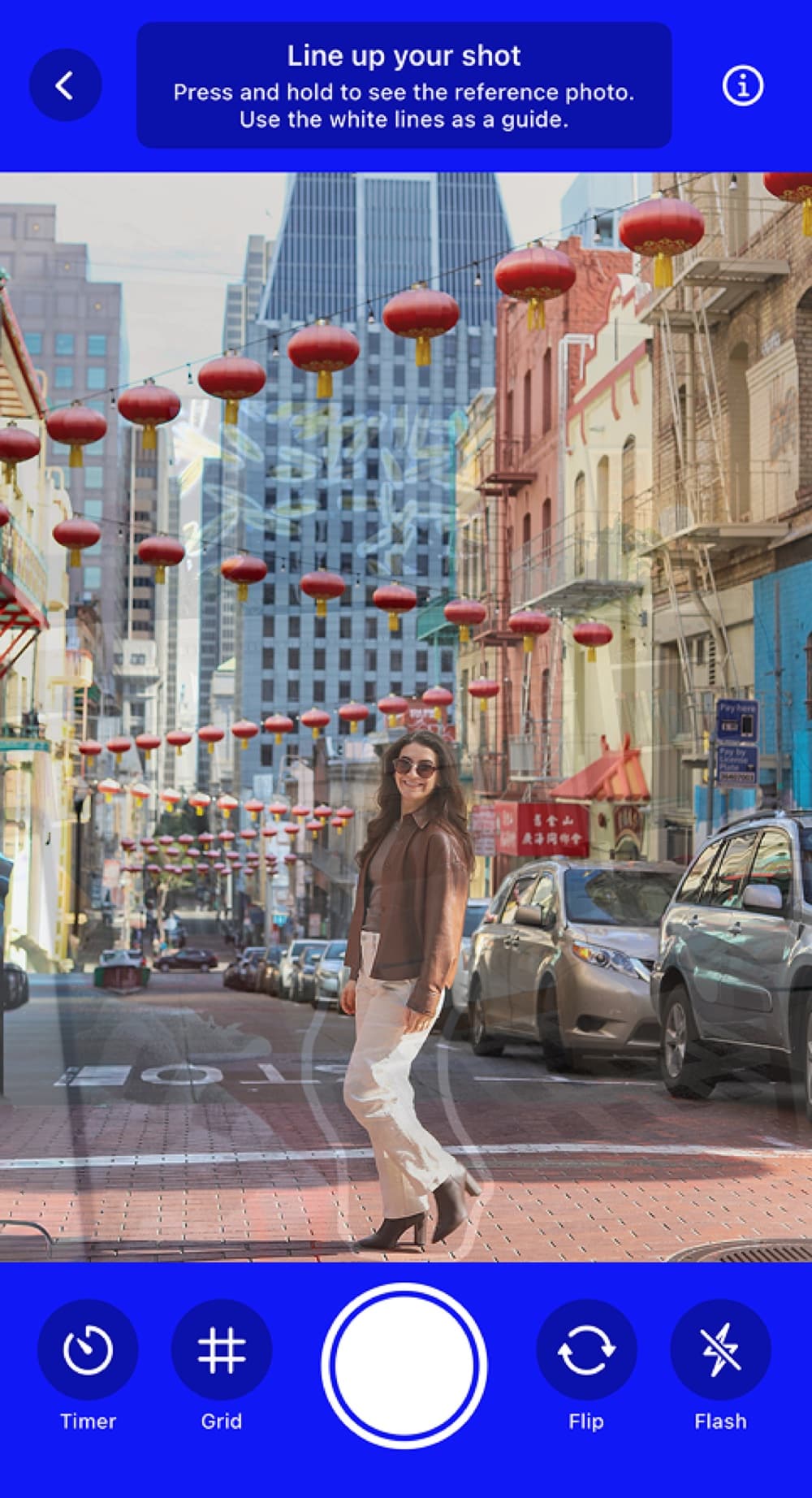
Step three
Hand phone to friend and capture.
On-screen guides help you and your photographer frame the shot just right. Click the photo, retake if needed, and save to camera roll.
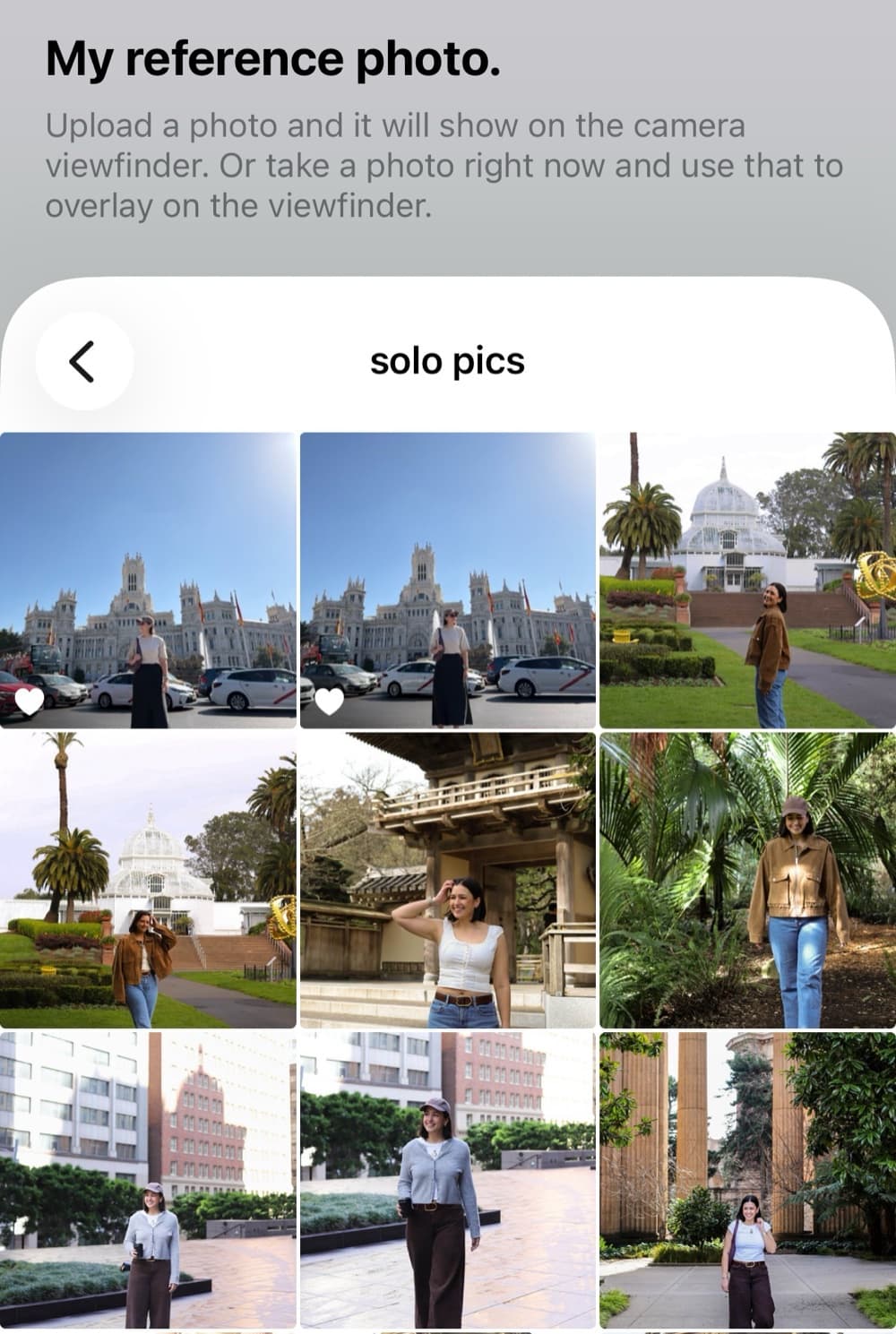
Bonus step
Don't see a template you want?
Go to the bottom of the "Me" tab to upload your own pose template or capture one on the fly.
Ready to try it?
Download Strika free on iPhone and start taking photos you’ll actually love.